All projects

Desktop Software · Education

PanoKütüphane

Your study hall, now on one board.

Desktop software for libraries, study centres and study halls that brings seating plans, students, check-ins and fee tracking into one program.

Platform
Windows 10 / 11 · Works offline
Category
Desktop Software · Education
Year
2026
150
Automated tests
30
Days of automatic backups
5 min
Setup time
1
File: a single .exe, no installer

The problem

Most libraries and study halls still keep seating plans, student records and fees in notebooks or scattered spreadsheets. Finding out which desk is free, who is inside and whose fee is overdue means leafing through paper.

The solution

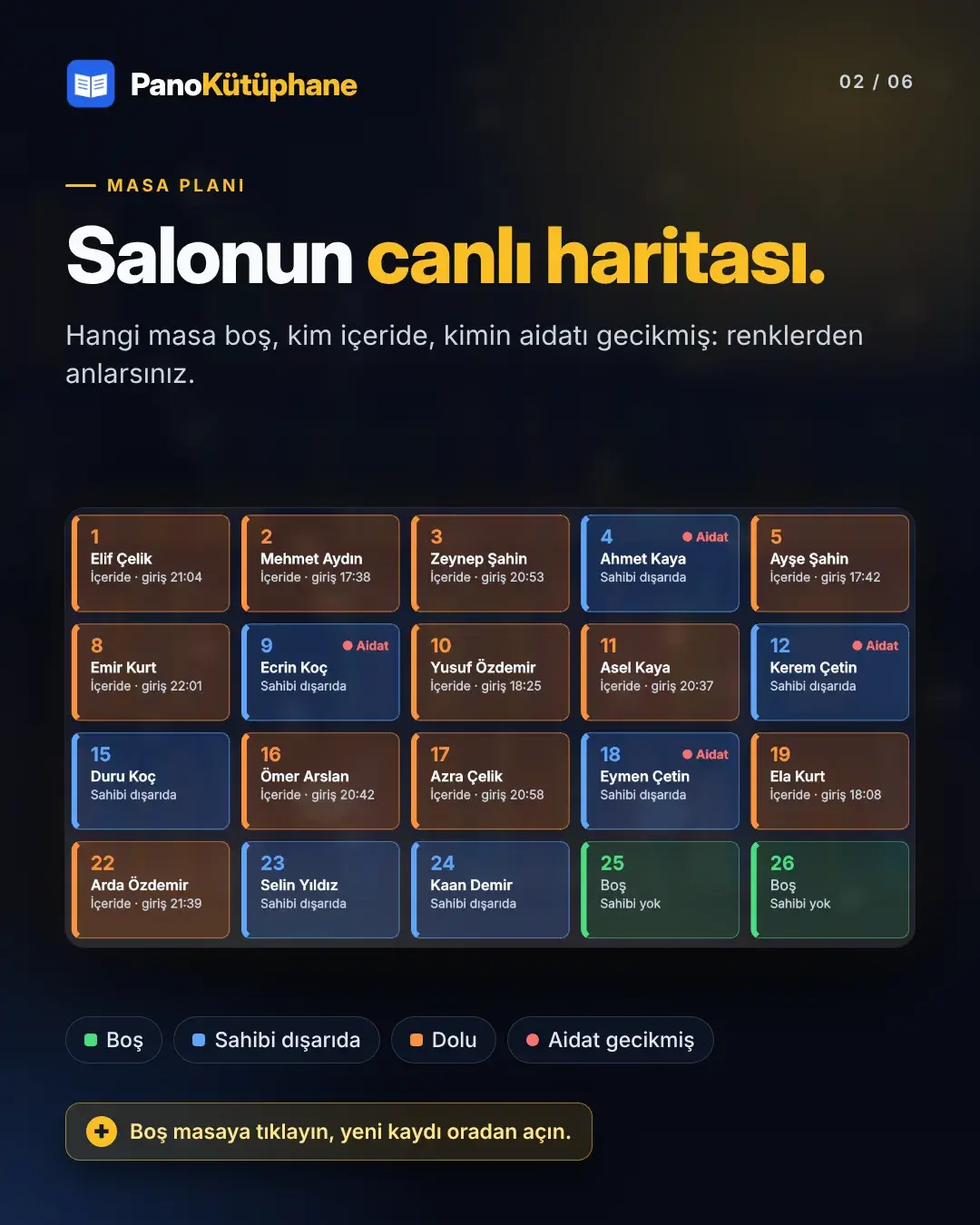
PanoKütüphane puts it all on one screen: a live map of the hall shows at a glance which desk is free, who is sitting where and whose fee is overdue.

It's designed for operators with little computer experience: no internet, no installer, just one file in a folder. Data stays on the organisation's own computer and is backed up automatically every day.

What it does

01Seating plan

A live map of the hall

Every desk is a coloured card: green free, blue owner away, orange occupied. Desk owners with overdue fees get a red flag. Click a free desk to register a new student right there.

  • Occupancy at a glance
  • Register from the desk
  • Fee alerts on the card

02Students

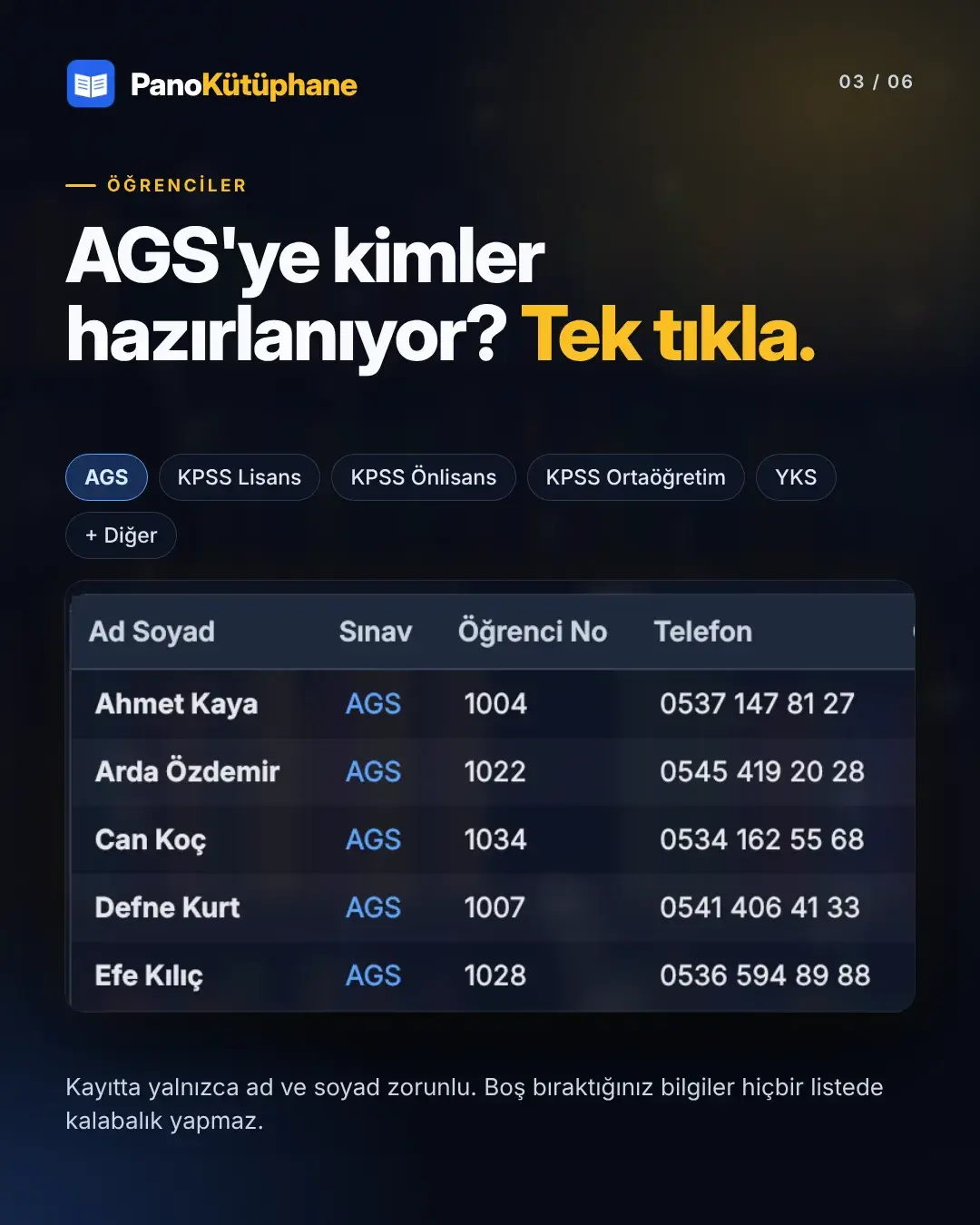
Who's preparing for which exam? One click

List students by the exam they're preparing for (KPSS, YKS, AGS and others). Only first and last name are required, and empty fields never clutter anything.

  • Filter by exam
  • Details, payments and check-in history tabs
  • Excel export

03Fee tracking

No overdue fee slips through

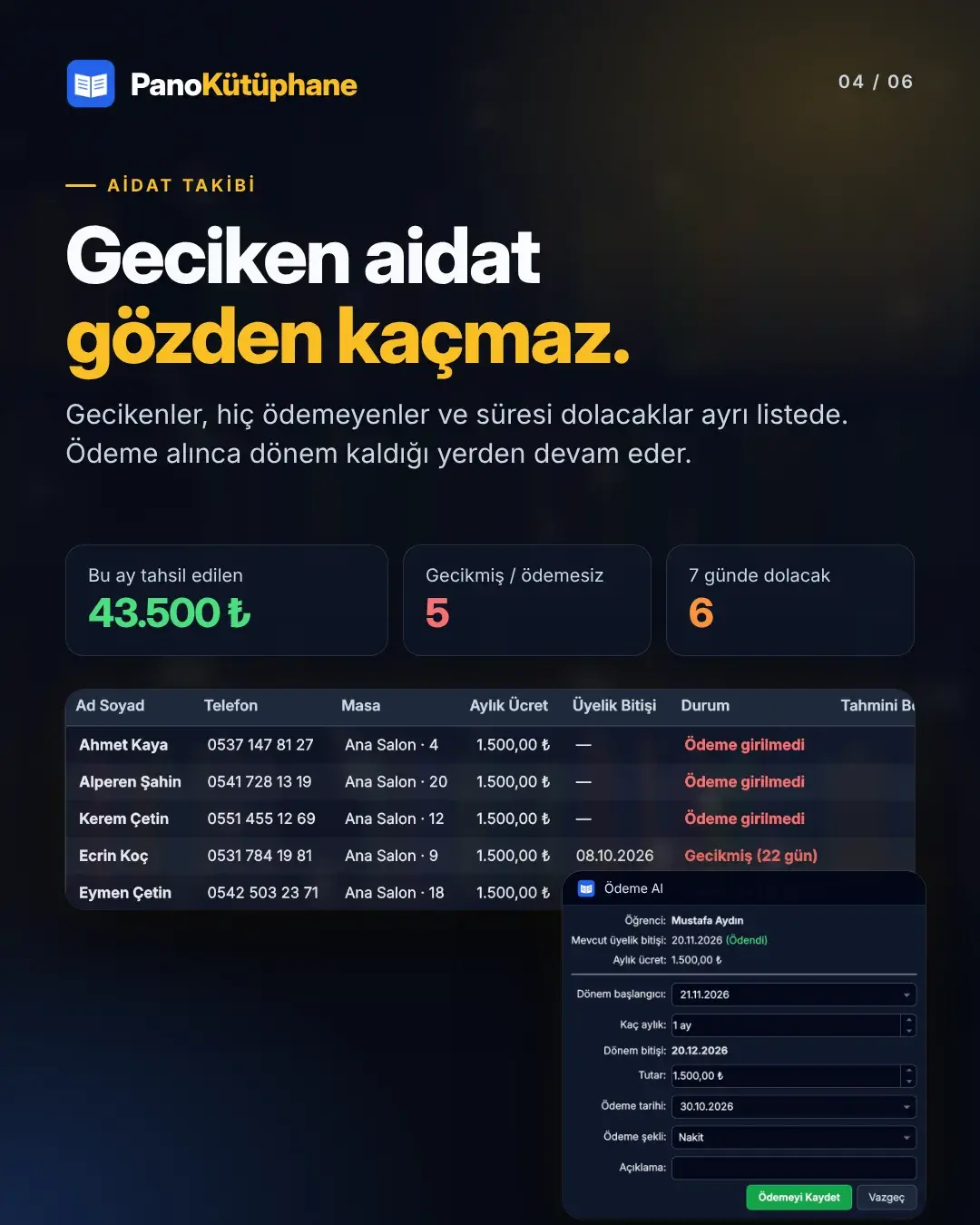
Overdue, never-paid and expiring-in-7-days students in separate lists. Payments continue the period where it left off; this month's collected and expected totals sit at the top.

  • Four separate fee lists
  • Automatic multi-month totals
  • Fee alert on check-in

04Halls and appearance

Every hall separate, every organisation its own style

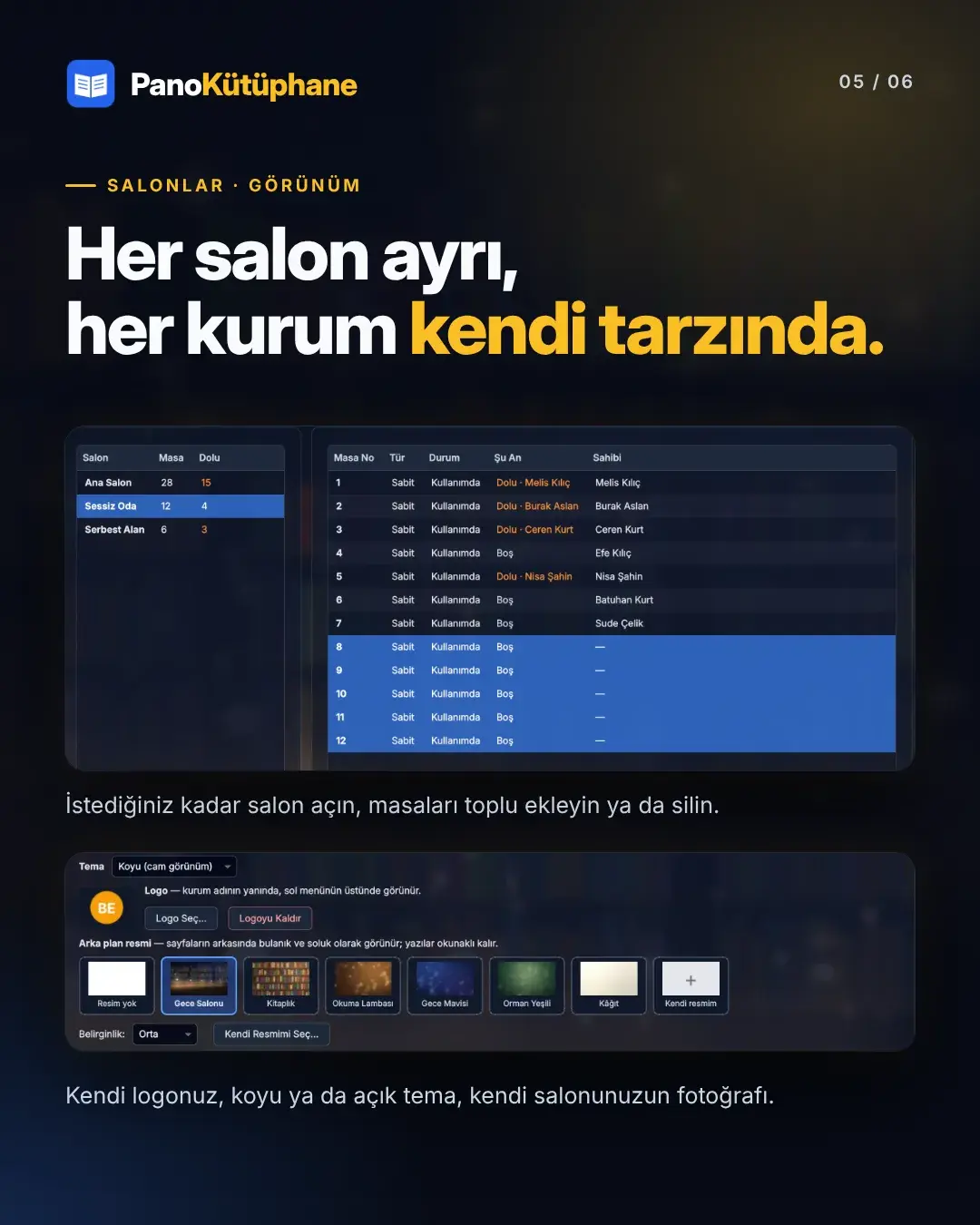
Open as many halls as you like and add or remove desks one by one or in bulk. Dark glass or light theme, your logo and a background image make it yours.

  • Unlimited halls, fixed and free desks
  • Bulk desk actions
  • Logo and background choice

05Safety

Secure, fast, offline

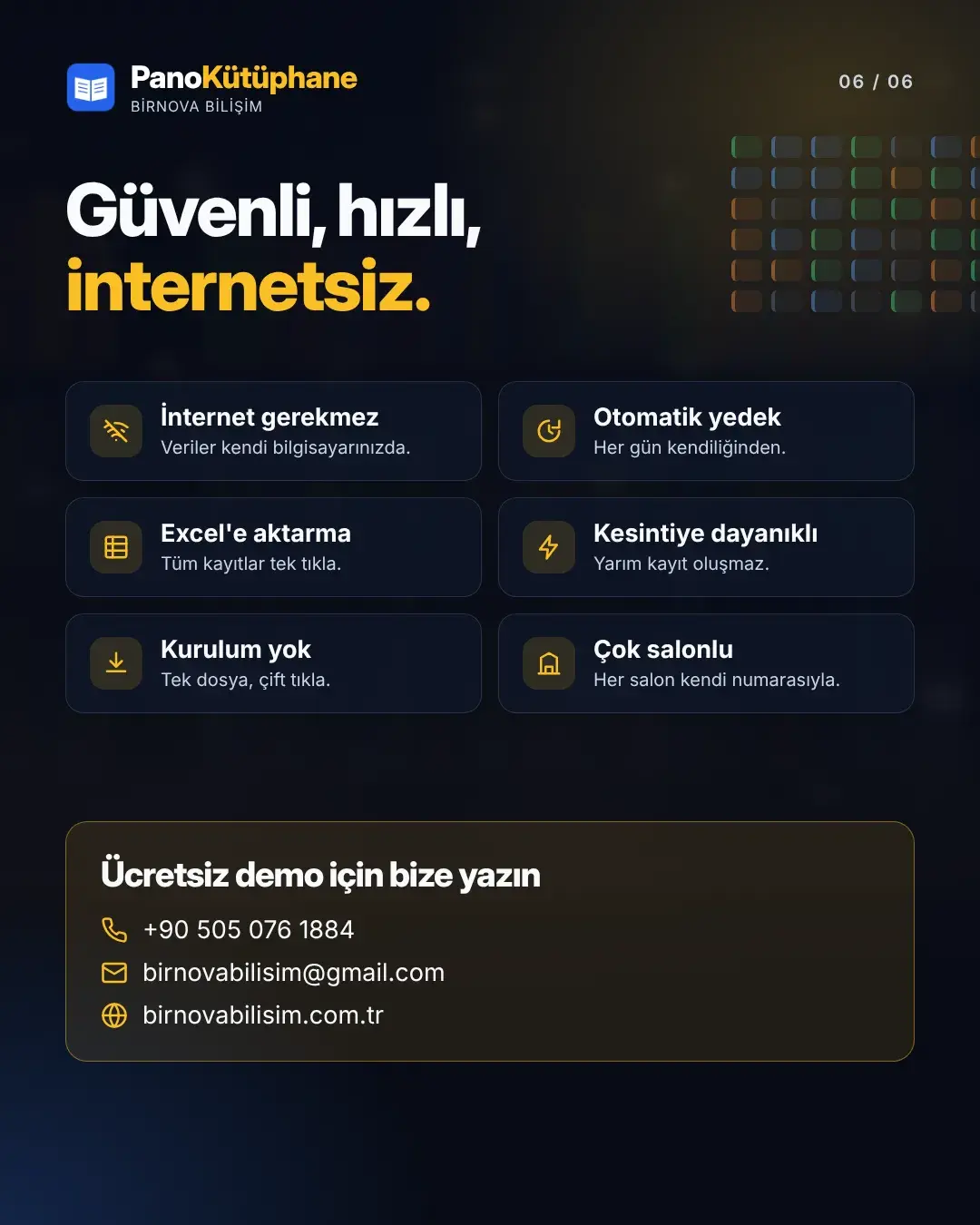
Every action is saved instantly, and even a power cut can't leave a half-written record. The program backs itself up daily and offers recovery from the last healthy backup if the data file is damaged.

  • Automatic daily backups
  • One-click USB backup
  • Recovery from damaged files

Your data is safe

Designed with even the mistakes of non-technical users in mind.

  • All or nothing

    Every action is saved as one unit; a power cut can't leave half a record.

  • Single instance

    The program can't open twice, so two windows never write to the same file.

  • Checked on launch

    The data file is verified on every launch; if damaged, the last healthy backup is offered.

  • Crash-proof

    Unexpected errors don't close the program; they're written to an error log.

  • Zip warning

    Warns if run from inside an archive so no data is lost.

  • Safe upgrades

    A copy of the old data file is kept when moving to a new version.

Videos

  • Promo video

Engineering

What's under the hood?

  • 01

    150 automated tests

    Database rules, every page and button, backup recovery, the single-instance lock and old-version migration are all verified by automated tests.

  • 02

    Crash scanning

    Tests press random buttons on every page and type odd input into fields; after thousands of actions there must be no errors and the data must stay consistent.

  • 03

    Measured readability

    In glass mode, overly bright spots in the background are dimmed, and text legibility on every image is measured by tests.

  • 04

    One file, no installer

    A single PyInstaller .exe that runs without Python installed, with version and copyright details embedded.

  • 05

    Portable data

    Everything lives in one SQLite file, including the logo and background, so it travels with the backup.

  • 06

    Friendly setup

    A step-by-step setup and usage guide written for people with no computer experience.

  • Python
  • PySide6 (Qt)
  • SQLite
  • openpyxl
  • PyInstaller
  • pytest

And more

  • Check-in / check-out

    Who's inside and for how long; check everyone out at the end of the day with one click.

  • Automatic day close

    Forgotten sessions close themselves the next day.

  • Payment history

    Payments and totals by date range; delete a mistaken payment.

  • Scholarship students

    Students with a zero fee never show as overdue.

  • Easy migration

    Copying the folder is all it takes to move to a new computer.

  • Easy updates

    A new version converts old data to the new structure on first launch.

Screenshots

Your study hall on one board
Your study hall on one board · 1/6
Next projectMiniPanoEverything between school and parents, in one app.

Have a project in mind?

We'd love to hear your idea and talk about how we can bring it to life together.